How-To Guides · Music
Guitar for Beginners: How to Read Chord Diagrams + Your First 4 Chords
Four chords. That's all you need to start playing hundreds of songs. In the next few minutes, you'll learn how to read a chord chart, and how to play G, C, D, and E minor.
1. How To Read A Chord Chart
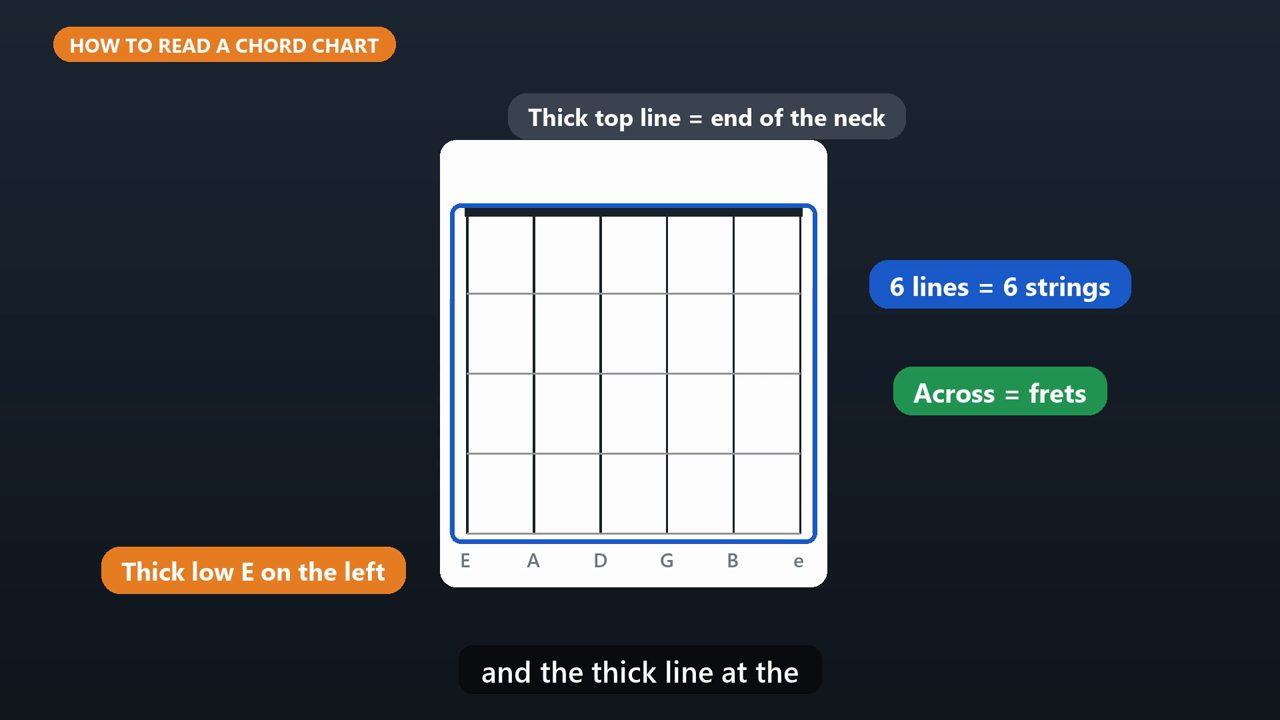
First, how to read a chord chart. Picture the guitar standing up, facing you. The six vertical lines are the strings. The thickest string, low E, is on the left. The horizontal lines are the frets, and the thick line at the top is the end of the neck.
2. Dots, Numbers, O And X
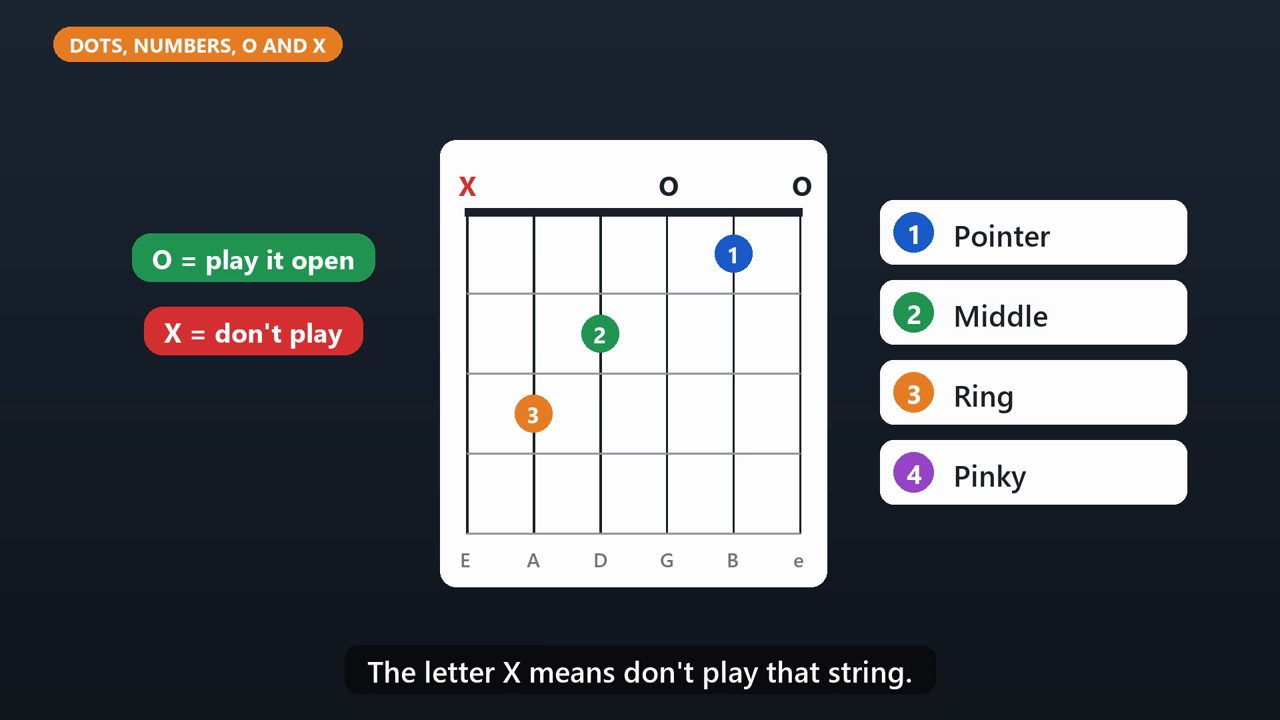
A dot shows where to press. The number tells you which finger to use. One is your pointer finger, two is your middle, three is your ring finger, and four is your pinky. The letter O above a string means play it open, with no finger. The letter X means don't play that string.
3. Chord 1: E Minor
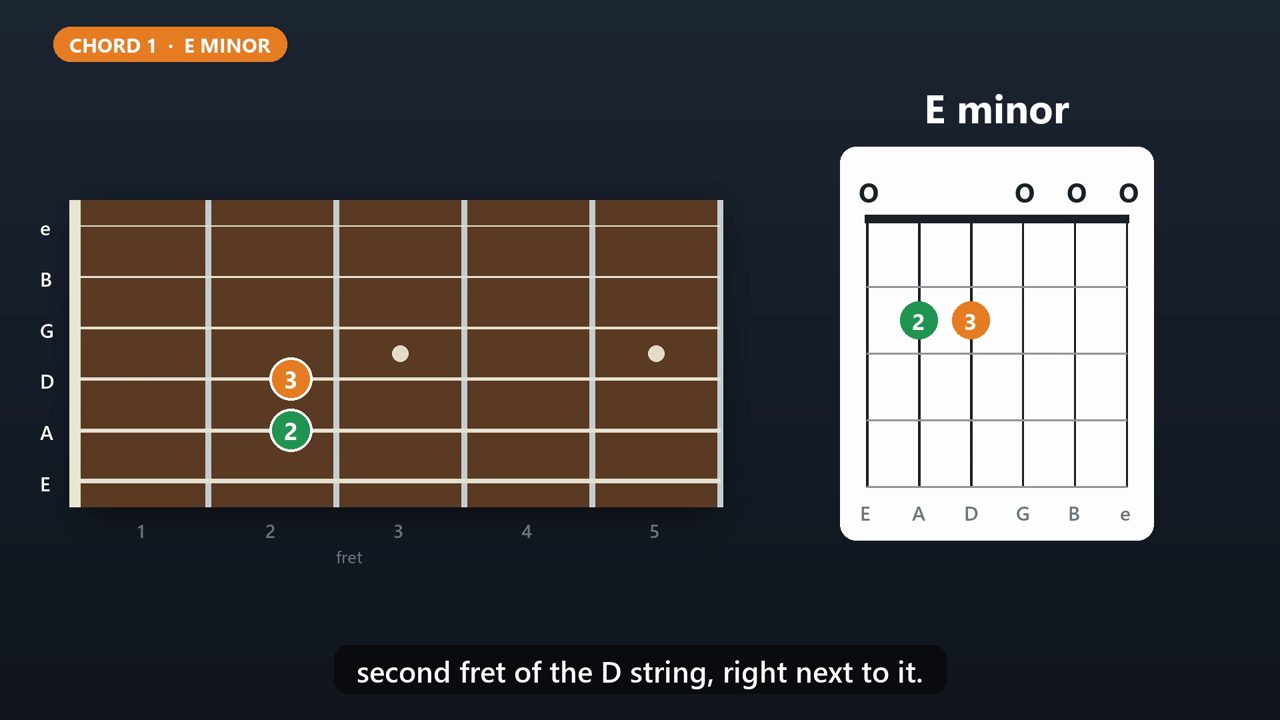
Let's start with the easiest chord, E minor. Put your middle finger on the second fret of the A string, and your ring finger on the second fret of the D string, right next to it. Strum all six strings.
4. Chord 2: G
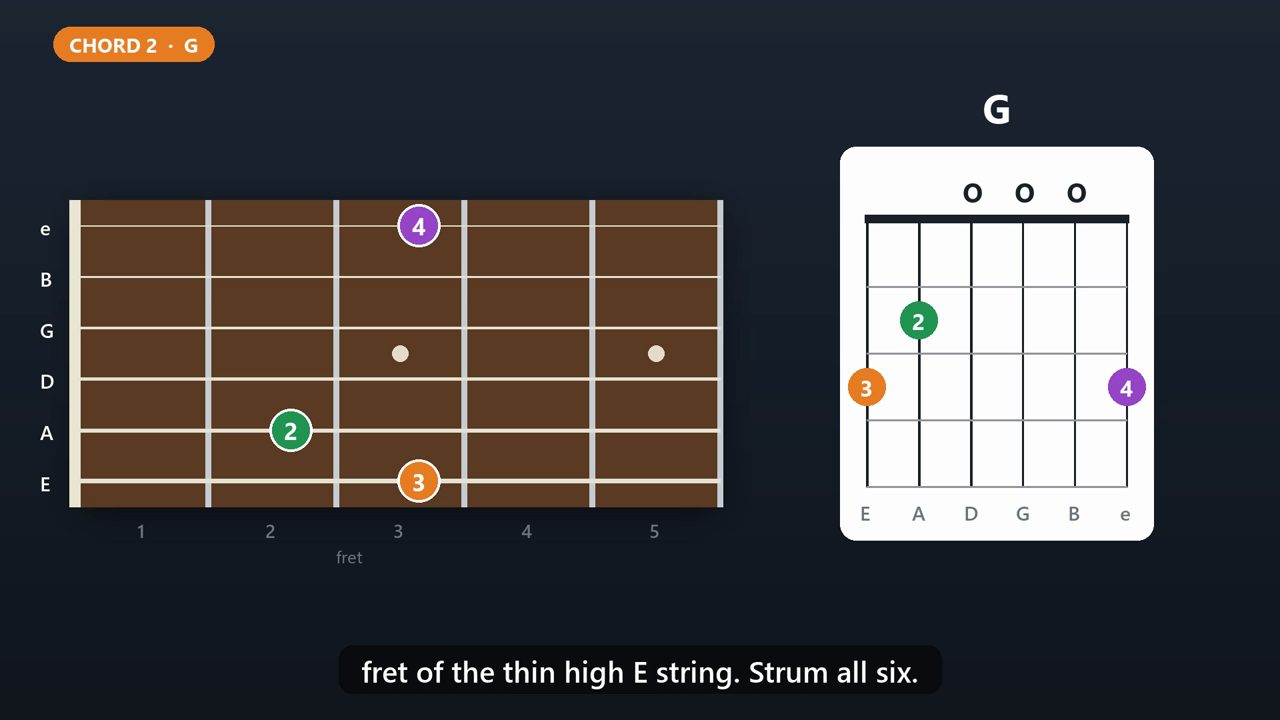
Next, G. Ring finger on the third fret of the thick low E string. Middle finger on the second fret of the A string. And your pinky on the third fret of the thin high E string. Strum all six.
5. Chord 3: C
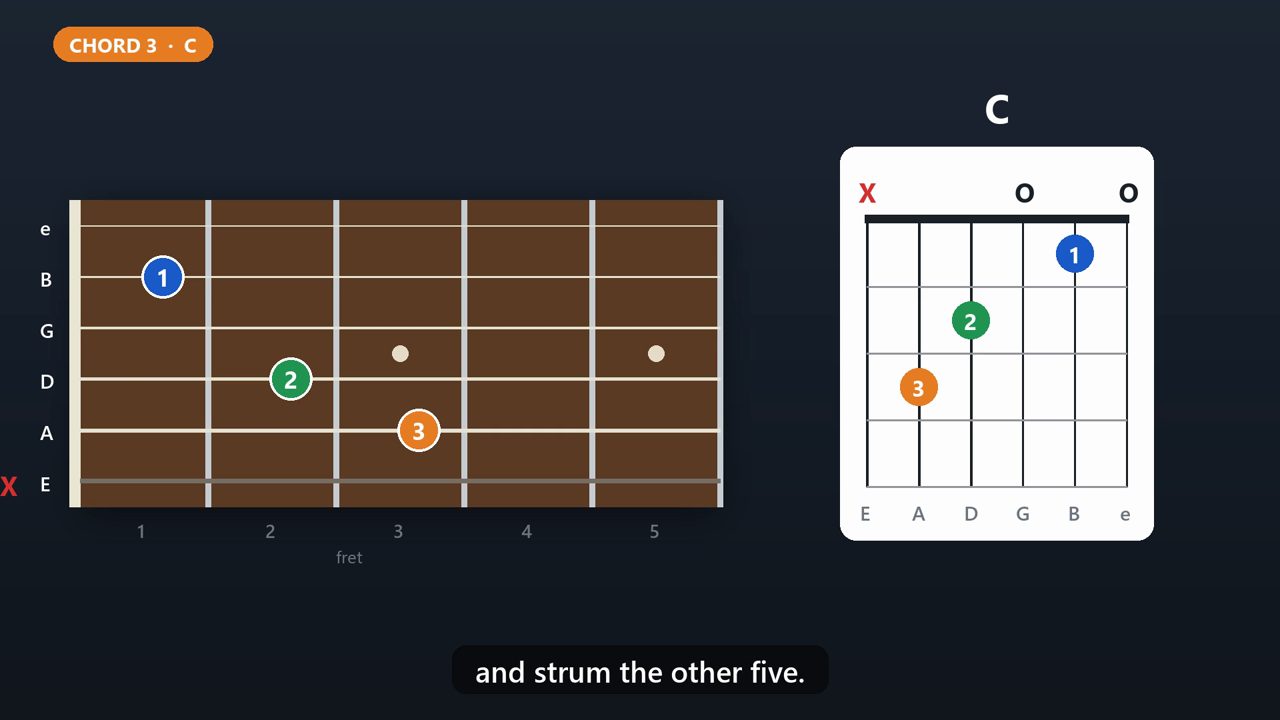
Now C. Ring finger on the third fret of the A string. Middle finger on the second fret of the D string. Pointer finger on the first fret of the B string. Skip the thick low E string, and strum the other five.
6. Chord 4: D
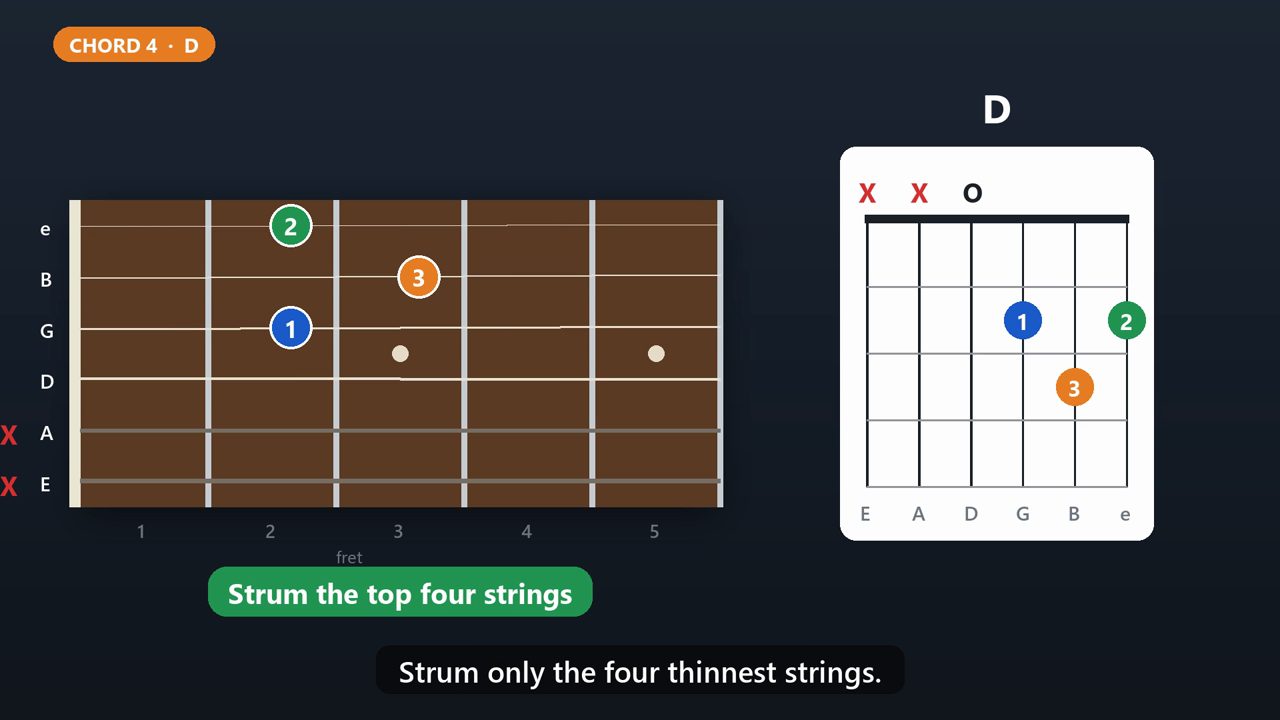
And D. Pointer finger on the second fret of the G string. Ring finger on the third fret of the B string. Middle finger on the second fret of the high E string. Strum only the four thinnest strings.
7. Tips For Clean Chords
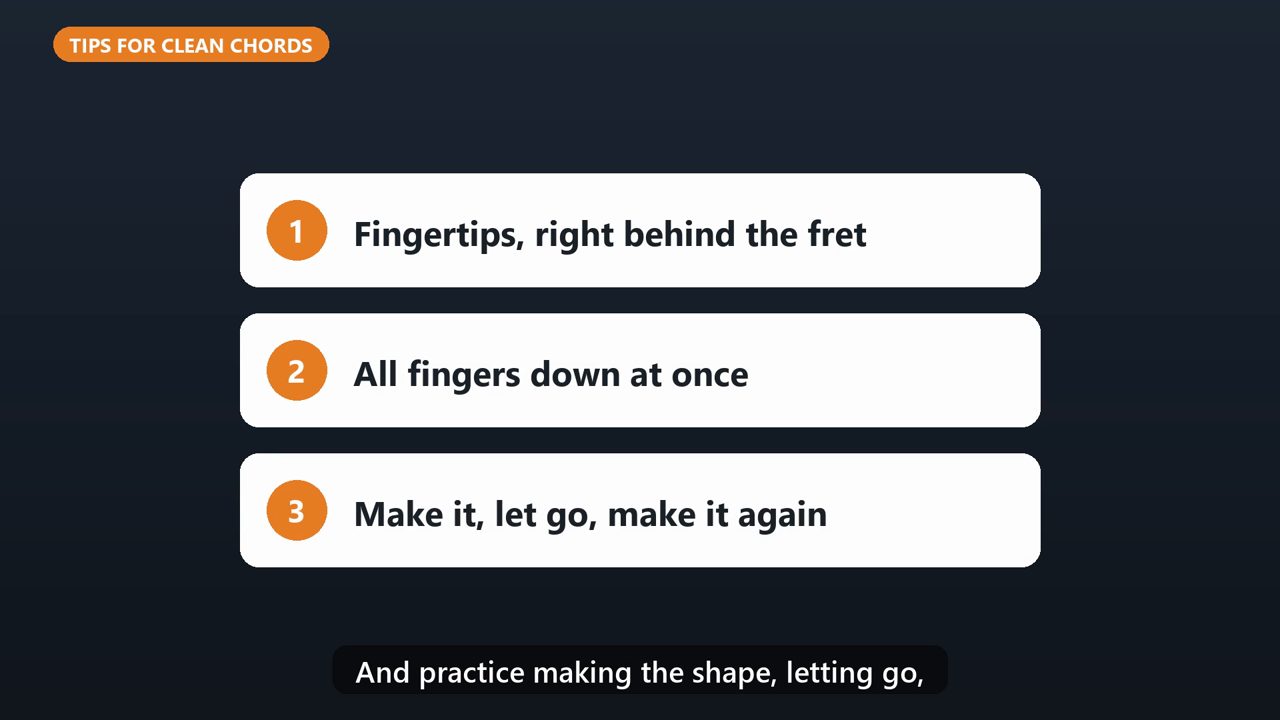
Three tips for clean, clear chords. Press with your fingertips, right behind the fret, not on top of it. Try to put all your fingers down at the same time. And practice making the shape, letting go, and making it again.
8. Put It Together
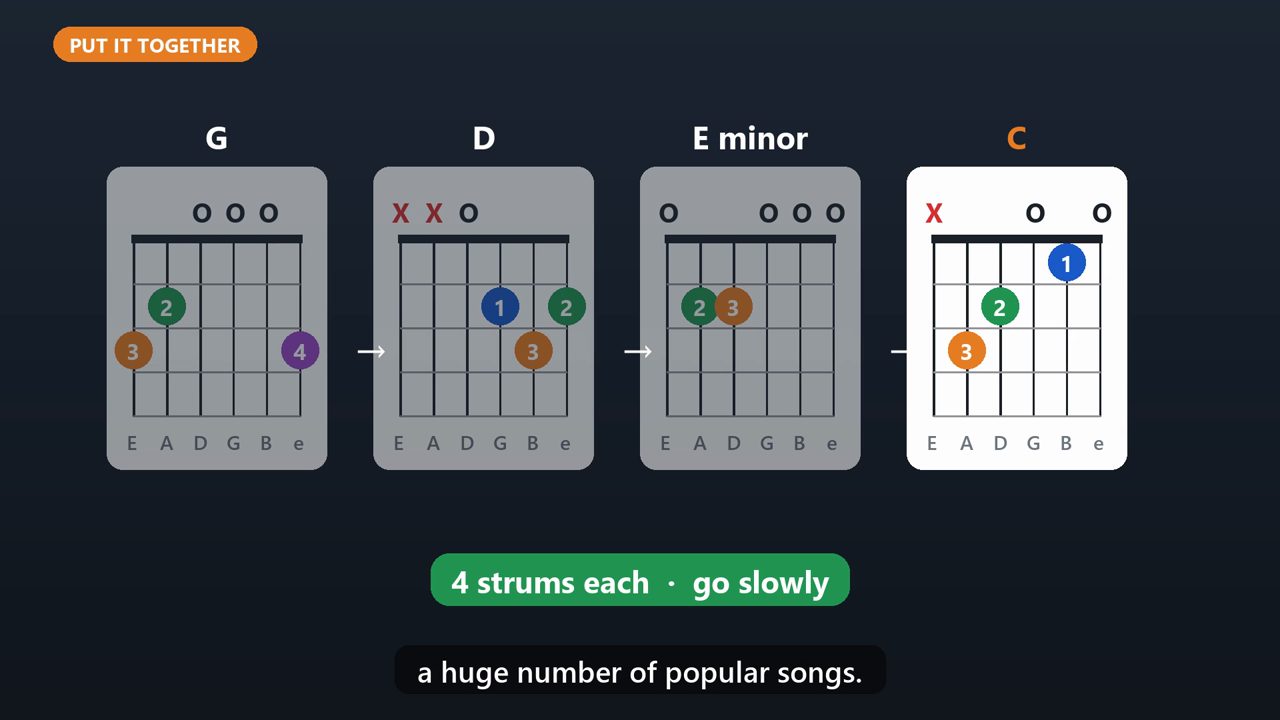
Now play them in this order. G, D, E minor, C. Four strums each, then switch. Go slowly at first. This one loop is the backbone of a huge number of popular songs.
Tools that make this easier
Simple Google Sheets + Excel tools from WiscHaven. Buy once, no subscription.
Sources
Checked against the official sources above. Steps can change as apps update - tell us if something looks different: wischavenindustries@gmail.com